Overview
Bring your balance, trends, and spending breakdown into one view.
YOUR EVERYDAY MONEY JOURNAL
Capture on iPhone.
Understand on Mac.
Record a purchase or check this month’s balance on your iPhone. Add a Mac for a wider view and convenient file imports. One money journal, with a place in your everyday life.
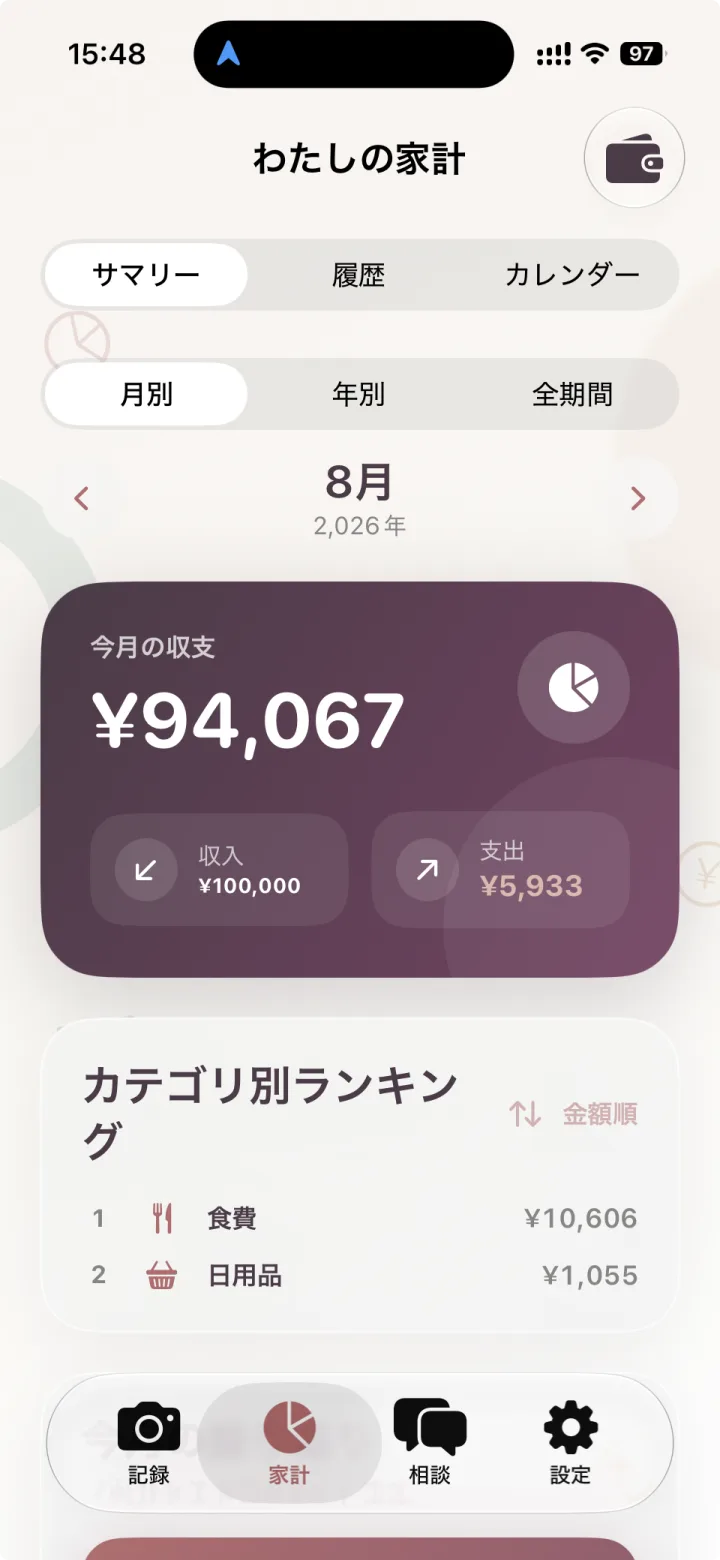
iPhone
Mac
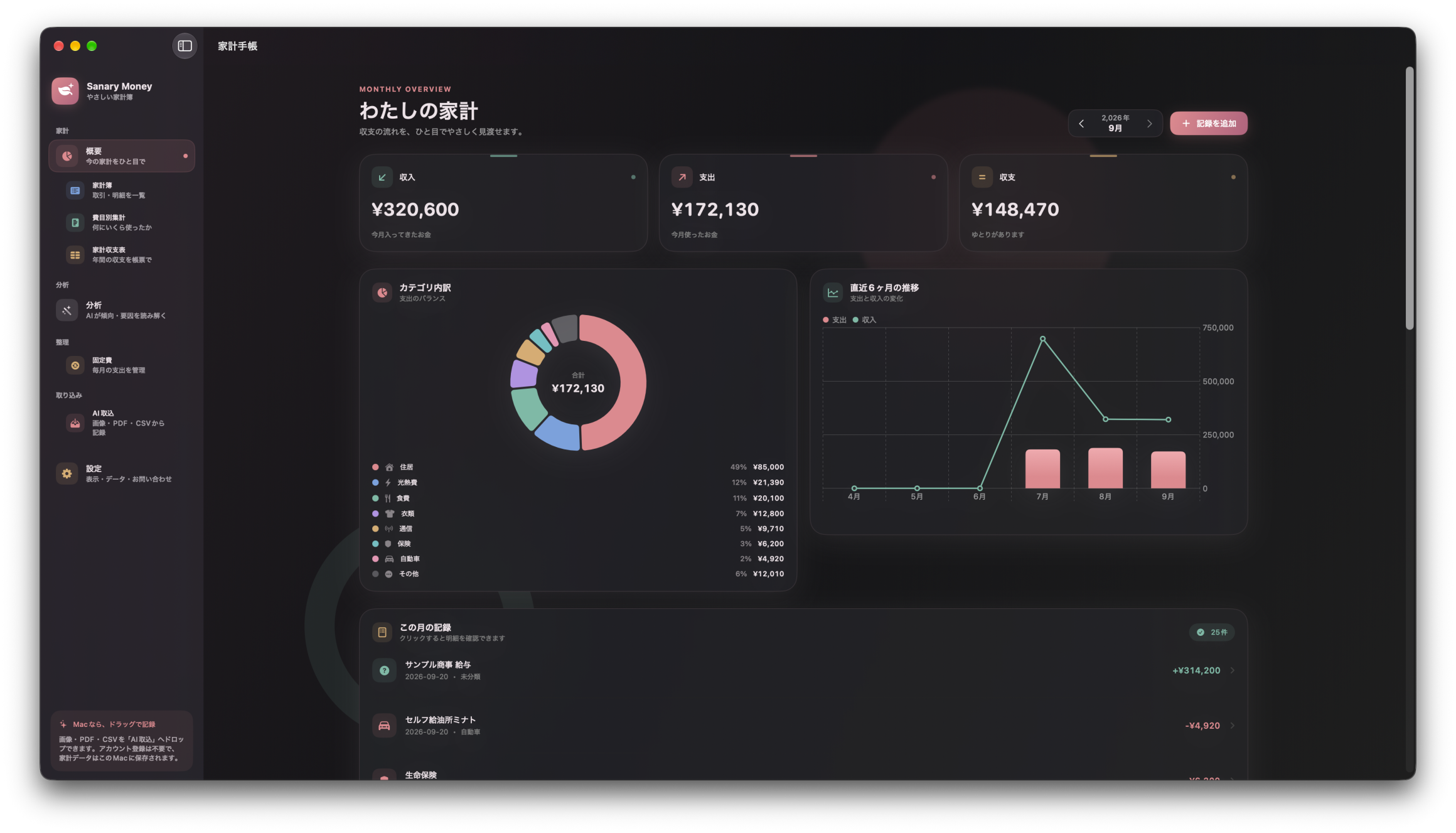
The Mac version is under App Store review. Its features are shown here ahead of release.
Screenshots show examples of the Japanese interface. Appearance may vary by app version. Select an image to see a larger version.
ONE MONEY JOURNAL · iPHONE + MAC
Use iPhone on its own to record and review your finances. If you also use a Mac, optional iCloud sync connects the same records across both.
iPhone
Capture a receipt, add a quick manual entry, or check your balance and history while you’re out. iPhone is your everyday money journal.
iCloud · Optional
Sync is free and off by default. Turn it on to connect your iPhone and Mac through your own iCloud.
Mac
Explore eight analysis views and your budget on a larger screen. Import images, PDFs, and CSVs, including files downloaded from the web.
iPHONE · EVERY DAY
At the checkout, after a purchase, or whenever you have a moment. Record and review your finances with the money journal you carry with you.
In a supported environment, receipt reading creates suggested entries from a photo. Check the date, merchant, amounts, and items, then make any corrections before saving. Or add a manual entry while the details are still fresh.
Reading and AI features require a supported device, OS, and other usage conditions. Review and correct entries before saving.
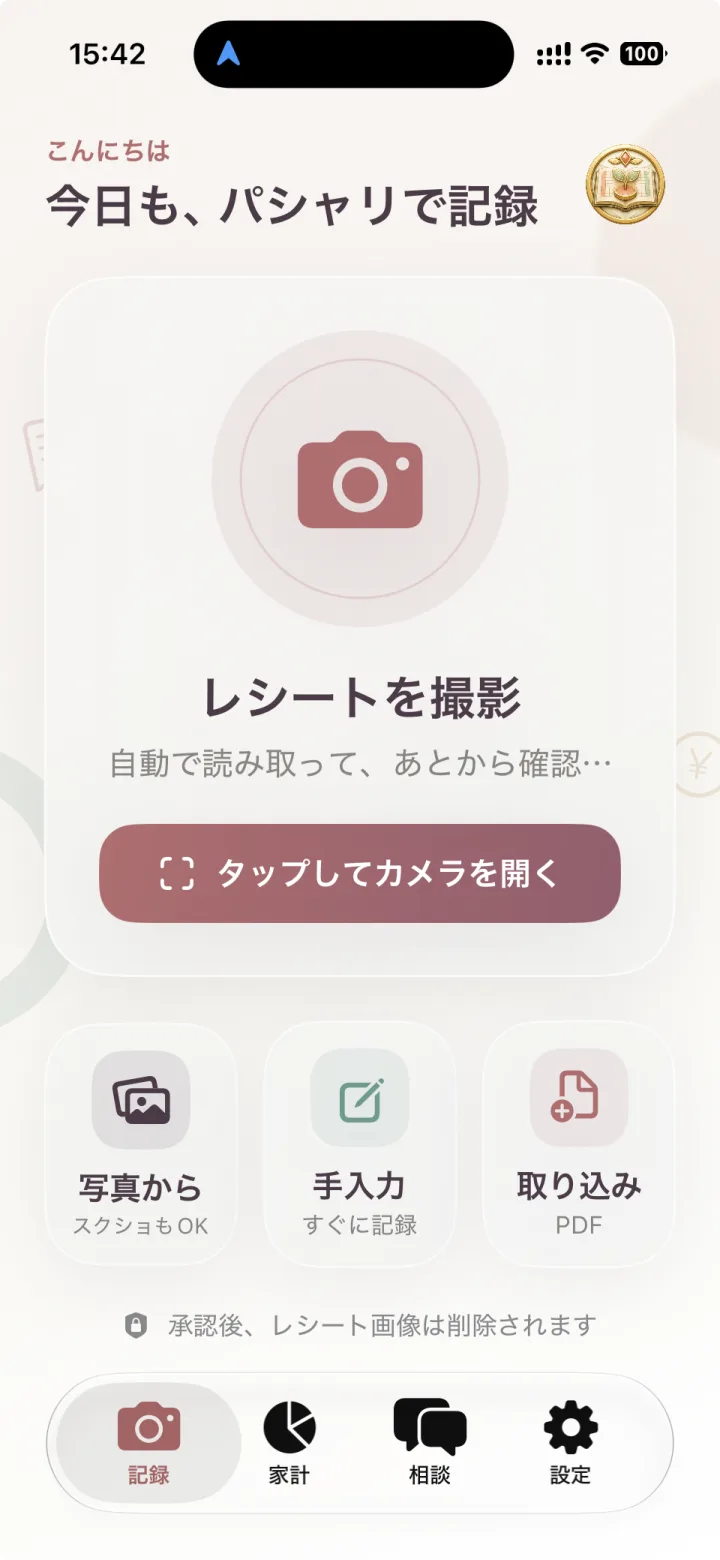
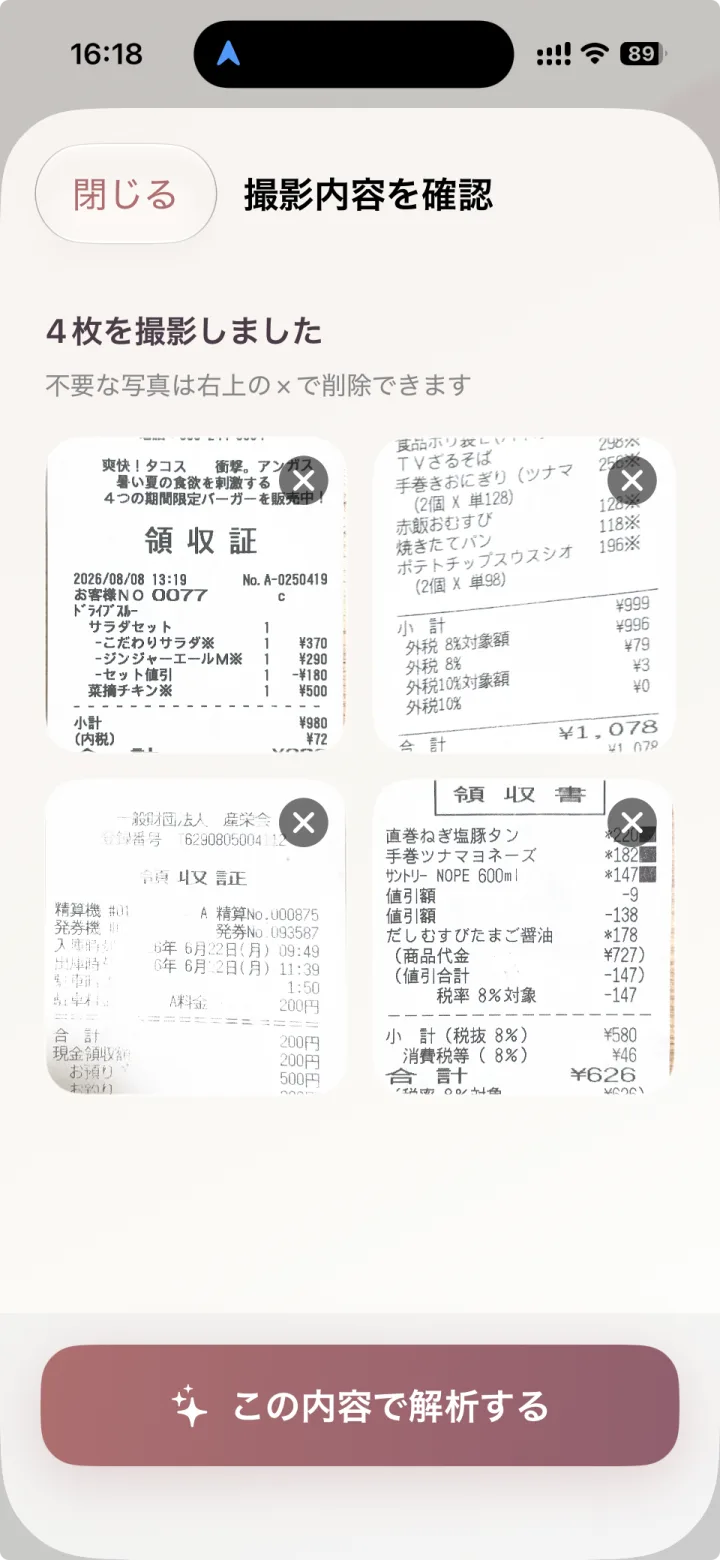
This month’s income and expenses, your main spending categories, and everyday purchases. Move between the summary, history, and calendar on iPhone to find what you need. Edit or delete entries right there.
In a supported environment, AI reviews, spending analysis, improvement suggestions, and financial consultation are available too. Manual entry, history, totals, and charts work without AI.
OPTIONAL iCLOUD SYNC
iCloud sync is a free, optional feature, off by default. Turn it on to sync financial records between devices using the same Apple Account through your own iCloud, with a CloudKit private database.
You can also use either device independently, without sync. No Sanary Account is required, and your financial data is not sent to or stored on Sanary servers.
MAC · A CLOSER LOOK
Take the records you keep on iPhone and explore them on a larger screen. Compare changes across eight analysis views, set a budget, and bring in files. The Mac version requires macOS 14 or later.
The Mac version is under App Store review. Its features are shown here ahead of release.
One of the benefits of using Sanary Money on Mac: eight views into your balance, spending patterns, and budget progress.
Bring your balance, trends, and spending breakdown into one view.
Review income and expenses, monthly changes, and the share of fixed costs.
Explore spending by category and see where your money goes.
Compare periods to see which categories grew or fell.
Understand your habits through spending pace, frequency, and amount per transaction.
Compare amounts and transaction counts by store or payee.
Set a budget and review how much you’ve used, what remains, and your spending pace.
Ask questions in your own words and explore answers grounded in your records.
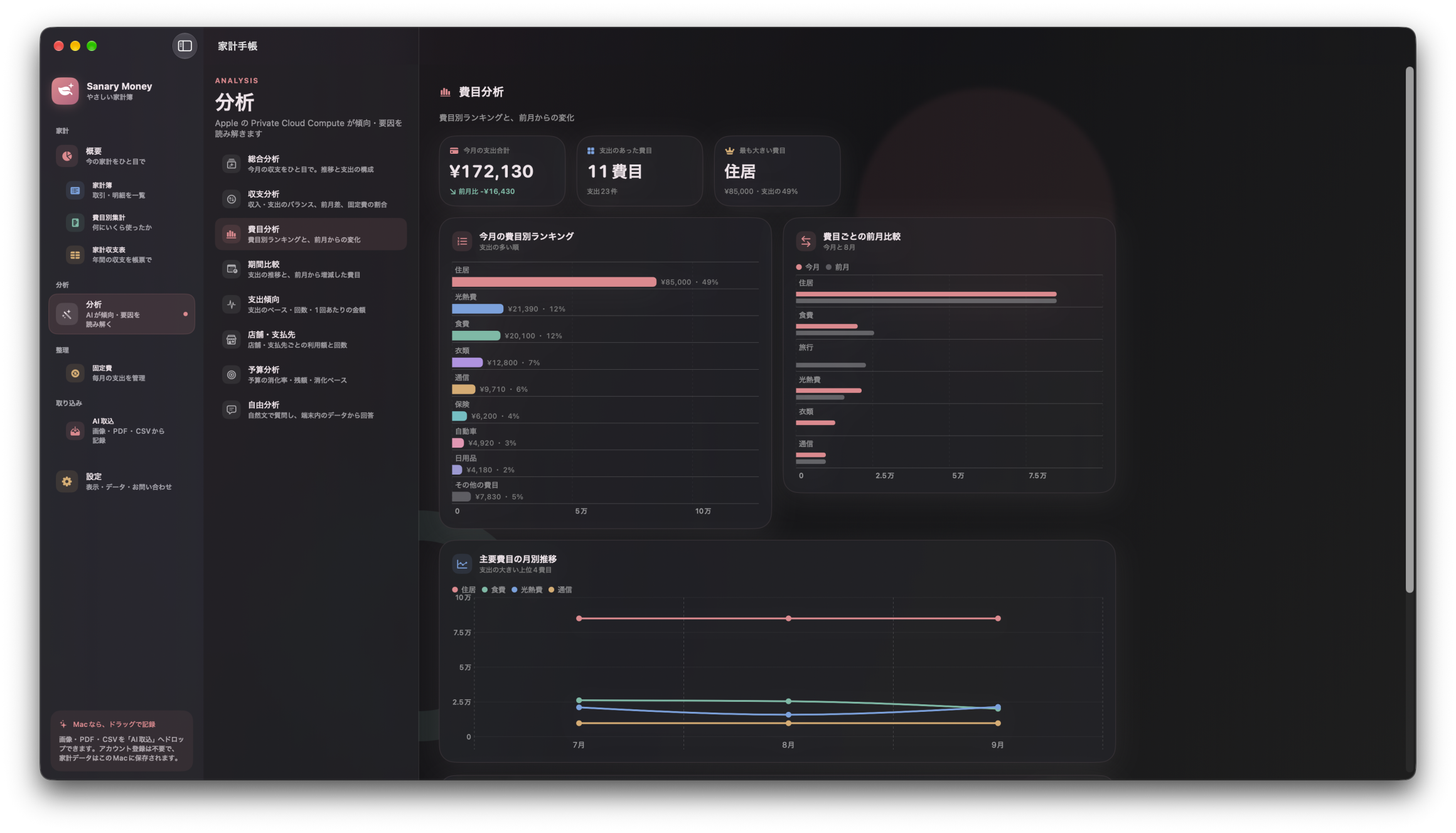
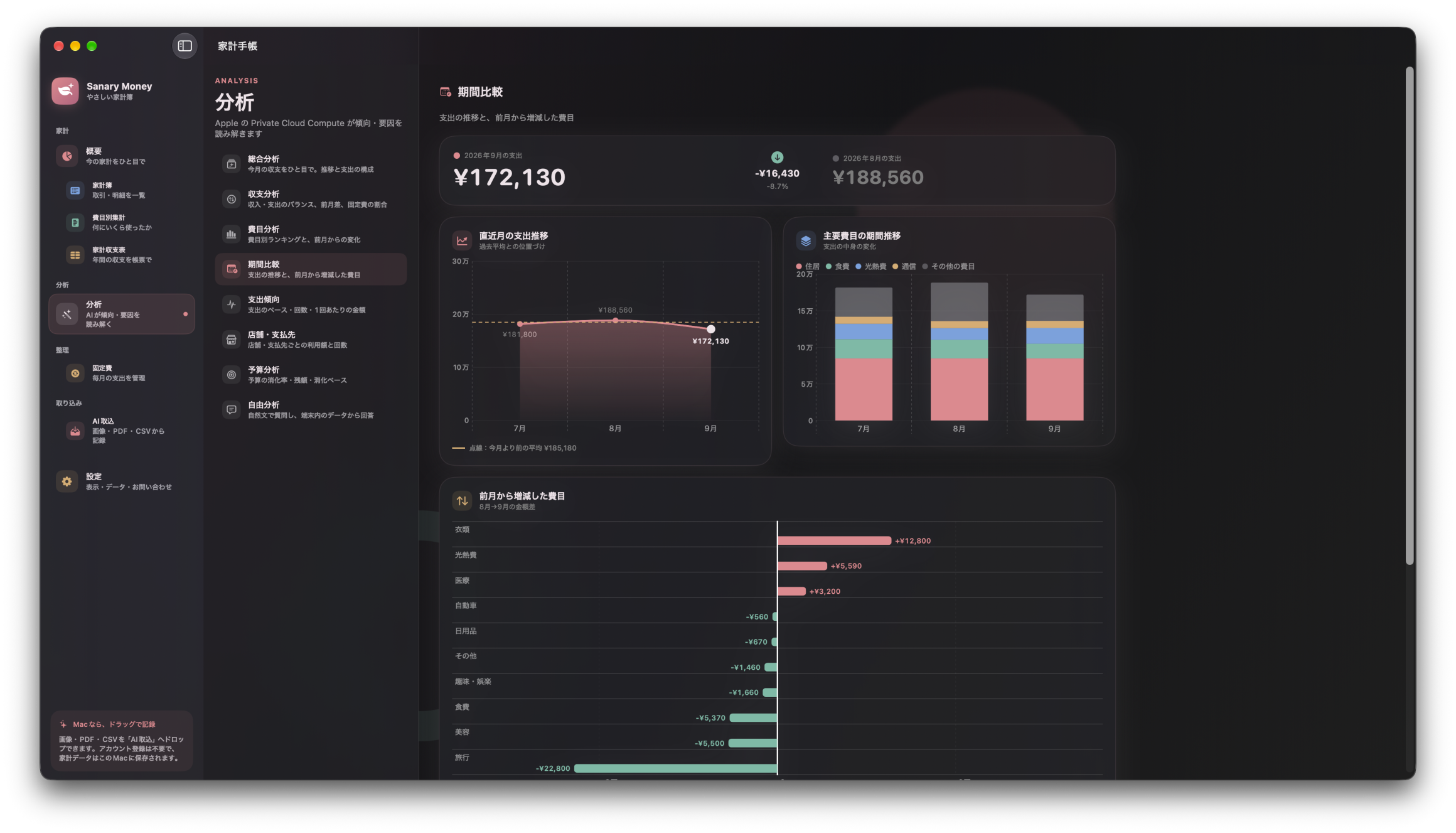
Amounts and totals are calculated from local financial records and displayed as charts. Apple Foundation Models adds a brief interpretation of that calculated information. AI does not generate the charts or amounts.
Charts and calculated figures in all eight views are free to view. Recording, totals, and charts remain available even when AI is unavailable.
MAC · AI IMPORT
A PDF statement from the web, an image or screenshot, a CSV file. AI Import reads the contents and creates suggested financial entries.
IMAGE / PDF / CSV
Reading a file does not automatically save it to your ledger. Check dates, amounts, and categories before saving.
LOCAL-FIRST · OPTIONAL SYNC
Sanary Money is local-first. The database on each device holds the primary copy of your financial records. Your financial data is not sent to or stored on Sanary servers. No Sanary Account is required.
Only when enabled, your iPhone and Mac sync through your own iCloud, using a CloudKit private database.
Private Cloud Compute (PCC) may be used in supported environments. AI processing does not go through Sanary servers.
Manual entry, history, totals, and charts work without AI. AI has additional requirements; check availability in the app before purchasing.
ONE-TIME PURCHASE · iPHONE + MAC
AI Unlock and Analysis Unlock are both one-time, non-consumable purchases. With Universal Purchase, your entitlements are shared across iPhone and Mac.
Manual entry, history, calendar, totals, and charts are free. Each AI feature includes three free successful uses, followed by AI Unlock.
Charts and calculated figures are free. Each analysis includes three free successful AI interpretations. After that, both Analysis Unlock and AI Unlock are required.
Images, PDFs, and CSVs each include three free successful uses. After that, AI Unlock is required. Successful reading counts even if you do not save the results.
Analysis Unlock also enables the annual category cross-tabulation and annual household income and expense table. Check the in-app purchase screen for current prices.

SANARY MONEY · iPHONE + MAC
Record and check on iPhone. Add a Mac for more ways to review and import. The Mac version is currently under App Store review.